
Table of Contents
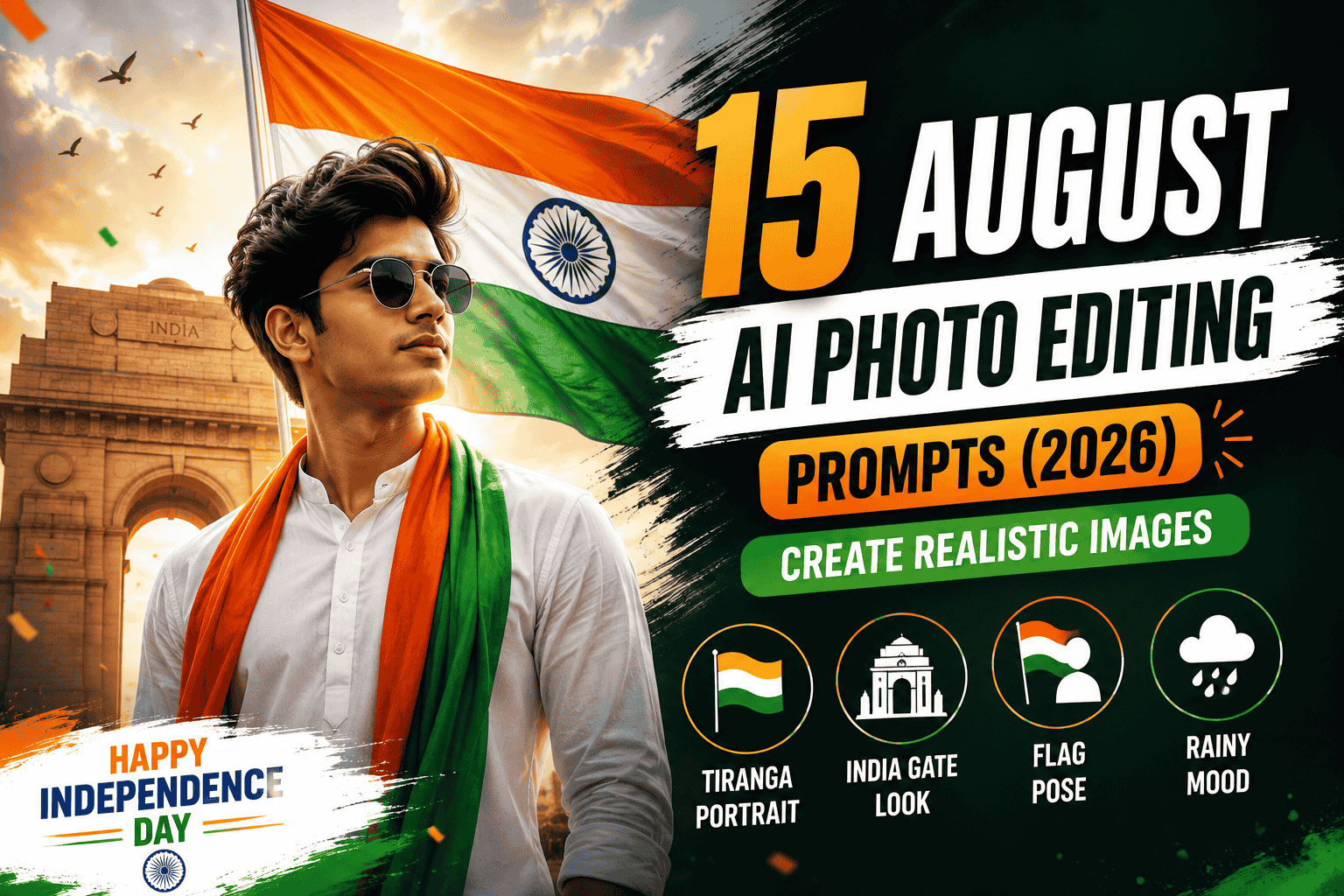
15 August AI Photo Editing Prompts are becoming increasingly popular as Independence Day approaches. Every year, social media is filled with creative photos, reels, and patriotic edits, and in 2026, AI tools make it easier than ever to create realistic Independence Day images from ordinary photos.
With the right AI photo editing prompt, you can transform a simple portrait into a professional 15 August-themed image without needing advanced photo-editing skills. You can add the Indian tricolour, patriotic backgrounds, cinematic lighting, traditional outfits, India Gate, open-sky scenes, and other Independence Day elements while keeping the person’s face and appearance natural.
What Are 15 August AI Photo Editing Prompts?
15 August AI photo editing prompts are detailed instructions that tell an AI image editor how to transform an existing photo into an Independence Day-themed portrait. Instead of manually changing every element in Photoshop or another editing application, you can describe the desired scene and let the AI generate the visual changes.
A good prompt can help create realistic lighting, natural skin tones, detailed backgrounds, patriotic elements, and cinematic compositions. The goal is not simply to add a flag to a photo but to make the entire image feel connected to the Independence Day theme.
Trending 15 August AI Photo Editing Styles in 2026
Several Independence Day editing styles are gaining attention in 2026. The Tiranga cinematic portrait is a popular choice, combining saffron, white, and green tones with dramatic lighting while keeping the subject realistic. Another trending style places the person in front of India Gate, creating a strong patriotic atmosphere.
You can also experiment with portraits featuring traditional Indian outfits, people holding the national flag, outdoor patriotic scenes, dramatic skies, and even rain-soaked Independence Day portraits. These different concepts give you plenty of options for creating unique social media content.
How to Create Realistic 15 August AI Photos
Creating an Independence Day AI photo is simple. Start with a clear, high-quality portrait and choose a prompt that matches the style you want. Upload the image to your preferred AI image editor, add the prompt, and generate the result.
For a realistic outcome, your prompt should clearly describe the background, lighting, clothing, pose, colours, atmosphere, and patriotic elements. If you want to preserve your original appearance, mention that your face, hairstyle, skin tone, facial features, and overall identity should remain unchanged.
Why Use AI for Independence Day Photo Editing?
AI makes creative photo editing much faster and more accessible. You don't need advanced Photoshop skills to experiment with different concepts. A single photograph can be transformed into multiple Independence Day styles simply by changing the prompt.
These AI-generated images are especially useful for Instagram posts, Facebook profile pictures, WhatsApp status updates, YouTube thumbnails, and other social media content.
Below, you'll find a collection of 15 August AI photo editing prompts that you can copy and use to create realistic Independence Day images in different styles.
Top 15 August AI Photo Editing Prompts
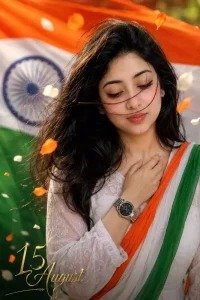
Prompt 1: Emotional Tricolor Close-Up Portrait
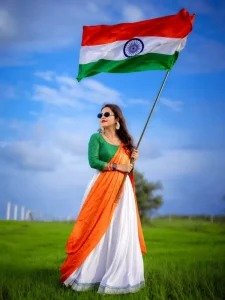
Prompt 2: Full-Body Saree & Flag in Countryside
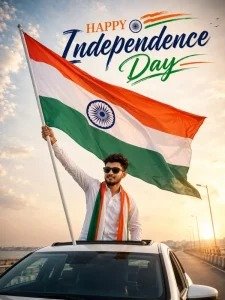
Prompt 3: Patriotic Sunset Car Sunroof Ride
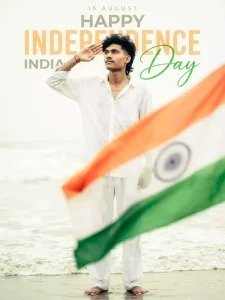
Prompt 4: Ocean Beach Salute Ultra-Realistic 8K Portrait
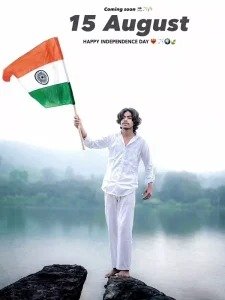
Prompt 5: Misty Lake Rocky Outcrop Kurta Salute
Frequently Asked Questions
Which AI tools are best for 15 August photo editing?
Bing Image Creator (Microsoft Designer), Midjourney, Remini, and Canva AI are among the top choices for generating realistic Independence Day images.
How can I keep my real face in the AI generated photo?
Upload your reference portrait first and explicitly include instructions like [KEEP REAL FACE FROM UPLOADED IMAGE] in your prompt, or use AI face-swap tools after generating the background.
Are these 15 August AI prompts free to use?
Yes! You can copy any prompt from this article and paste it directly into free AI image generators like Bing Image Creator or Playground AI.
What is the best prompt format for high-quality patriotic photos?
Include specific details about lighting (golden hour, soft daylight), camera settings (85mm lens, f/1.8, shallow depth of field), clothing, flag positioning, and facial expressions.
Final Thoughts
Creating patriotic 15 August photos with AI is a fun and creative way to celebrate Indian Independence Day in 2026. Whether you prefer a dramatic beach salute, a golden-hour car ride, or an elegant saree portrait in green fields, these prompts give you everything you need to create stunning, realistic visuals.
Copy your favorite prompt, customize the details to match your style, and share your unique Independence Day creation on social media!
Comments (0)
Leave a Reply